
View Full Video Script
5:24 min
View Full Video Script
-
Capital planning in Board offers several key benefits for the office of the CFO.
-
The advantages can be summarized into three main value statements.
-
First, capital planning in Board connects capital investments directly to
-
financial performance. We can plan new investments in existing assets
-
and clearly show their impact across the three key financial statements:
-
the income statement, the balance sheet, and the statement of cash flows.
-
Second, it strengthens accuracy and governance.
-
Board allows us to use standardized corporate-approved accounting policies,
-
asset types, and depreciation methods.
-
We can incorporate approval workflows and audit trails, ensuring that capital
-
components are evaluated consistently and align with corporate policies and
-
figures. Third, it accelerates capital decision-making.
-
Board provides a unified platform to manage all capital projects,
-
including supporting documentation, business justifications, risk
-
assessments, and approvals. This centralized approach enables
-
faster and more informed decision-making.
-
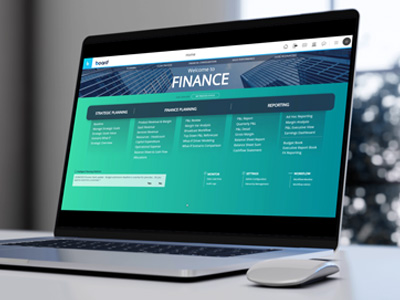
Within our office of finance solution, we offer pre-built capabilities for
-
capital planning. In the planning, budgeting, and forecasting section,
-
our planning solution supports three main personas: the planner or
-
model preparer, the local analyst who can prepare and approve models,
-
and the group analyst who initiates the process, manages approvals,
-
and makes top-side adjustments. When we access one of these
-
personas, we see dedicated capital planning capabilities.
-
In the capital planning area, we can plan for new capital asset
-
additions. Users can enter asset names and select from a set of
-
approved capital asset types and expenditures, filtered by approved
-
depreciation policies. Board supports multiple depreciation
-
methods. By default, we include two: straight line and
-
declining balance. Users record purchase costs, salvage
-
value, purchase month for cash flow planning, and depreciation month for
-
the profit and loss depreciation expense and accumulated
-
amortization. As each asset is entered, the system provides the
-
useful life for the planning period.
-
Those depreciation rates that appear as dropdowns are in a read-only format to
-
display the asset types. All of these are managed through a centralized
-
governance approach, so end users cannot add new elements,
-
though this can be modified if necessary.
-
In addition to planned assets, we also need to depreciate and amortize
-
existing assets for planning purposes.
-
These existing assets can be loaded from a capital asset system, an Excel
-
file, or any other source that stores this information.
-
The only new information required is specific to the plan, such as
-
whether a disposal will occur and the timing of that disposal.
-
This allows the tool to incorporate the impact on the balance sheet, profit and
-
loss, and statement of cash flows, providing a truly integrated
-
approach. It is also possible to plan for new capital projects.
-
A project brings together various assets that make up the project, which can
-
affect both the income statement and the balance sheet.
-
Each asset can have different policies, purchase dates, and
-
depreciation start dates. From a project perspective, we can
-
also add descriptions, notes, upload supporting documents,
-
set deadlines, and view the overall project plan from a Gantt chart
-
perspective. After creating a new capital request, we can
-
associate other attribute fields for reporting, such as a risk profile,
-
whether a project must happen, is uncertain, or is likely.
-
We can assign a project manager so that once approved, the project is routed to
-
that manager for tracking. Projects can be organized and reported by
-
category and by vendor. Additional attributes can be added as
-
needed. For any new CapEx, robust reporting is available,
-
including the ability to allocate by department.
-
We can also integrate FTE requirements for project planning and indicate the
-
percentage of use if required at the specific project level.
-
All related reporting is available once the project is set up.
-
Project planning also includes a complete workflow approval process, which can be
-
tailored to fit your specific approval cycle.
-
The approval is handled by individual project, and we can see in
-
progress, submitted, rejected, and approved states.
-
There is also the ability for the submitter to provide commentary and for the
-
approver to add their input, along with a comprehensive audit trail of all
-
elements. At any point in time, all reporting is available, so
-
we can see different projections and various views of the entire data set.
-
Let's recap the capabilities of capital planning within the Board platform.
-
We will focus on five key elements.
-
The platform allows planning for individual assets or multi-asset projects,
-
including all statement impacts.
-
It supports multiple depreciation methodologies for both existing and new
-
projects and allows us to model the future impact across the entire
-
planning horizon. It enables the allocation of depreciation and project
-
costs to departments and functions based on any business dimensionality
-
required. This means information can dynamically flow through all
-
budgets and forecasts, including the balance sheet, income statement, and
-
cash flow. The platform allows us to capture project details,
-
ownership, risks, and approvals, providing a complete audit trail.
-
And finally, it enables management of the capital approval cycle through a
-
structured process with detailed reporting, variance analysis, and
-
what-if capabilities.